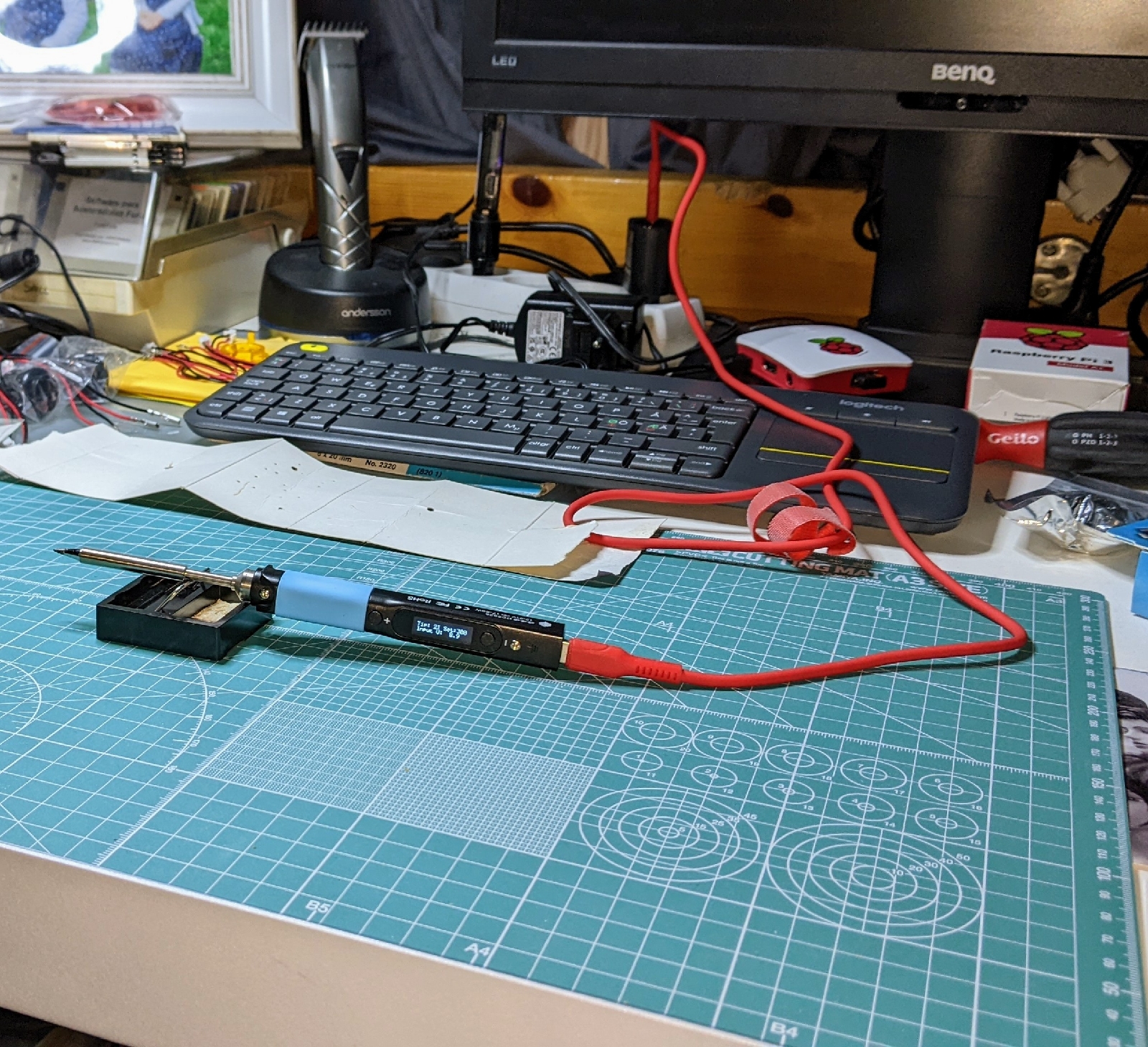
Finally got a decent (and easily portable) soldering pen, the Pinecil!
"The Pinecil is a smart mini portable soldering iron with a 32-bit RISC-V SoC featuring a sleek design, auto standby and it heats up to an operating temperature in just 12 seconds!"
Paired with a proper A/C adapter that can supply (at least) 3A @ 9V, you'll be able to do some serious mid-tier soldering with the right soldering tips.
Specs:
Dual power input design: 1) USB-C supports both PD and QC 3.0 and; 2) DC5525 barrel DC jack.
Speedy Rapid Warmup: Reaches operating temperature in 12 seconds. Support for on-demand rapid boost feature.
Adjustable soldering tip temperature which can be set between 100° C and 400° C using the adjustment buttons and an easy-to-read OLED display.
Portable: it features a sleek and slim design, comprised of an SAE 304 stainless steel core housed inside a polycarbonate shell.
Auto standby mode engages when it is not in use ensuring the user safety.
After re-playing a heap of my all-time favorite Amiga-games on my RetroPie (RPi3), I thought I'd do a little post honoring the 80s/90s gaming-computer. Mainly, the Amiga 500.
No other computer-system has ever had this big an impact on my life, my preferences and my esthetic sense.
To give a little intro about the Amiga 500: it was launched as a compact, home game-computer in the mid-1980s. The Amiga 500 had everything from motherboard/CPU to add-on-chips and keyboard integrated into one plastic casing.
People mostly hooked it up to their TV with an extra peripheral called the RF-modulator, but was also sold with an Commodore-branded CRT-monitor (see picture below), that even sported integrated stereo speakers(!).
Commodore Amiga 500 - 'System 1'
At the time (late 80s) Amiga was unmatched in animation and sound, mostly due to their use of specialty chain-chips (separate chips co-working in a process-chain), but also thanks to a massive (for the time) homebrew-scene (the demo-scene).
The Amiga 500 demonstrated graphics-powers unmatched by similar 8-/16-bit systems at the time. As the Amiga 500 had over 300.000 units sold by 1990, it had established itself as a massively popular home-computer across Europe. But due to scepticism and poor advertising, not so good in the US.
Amiga set itself apart from other computer systems, just like Apple. For example, the PC-dominating three-finger salute, is performed differently on Amiga-systems: Ctrl + Left Amiga + Right Amiga.
It also sported co-processors (additional processors other than the CPU) for various tasks that made this computer way ahead of its time. Today's computers--for example--almost always include co-processors (like GPUs), much like the Amiga series did back in the 80s and 90s. Only difference being that the co-processors in the Amigas were DIP-chips soldered directly to the actual motherboard, whereas modern GPUs are individually contained system-cards, sporting their own FPU-chips+G-RAM that just slot into modern motherboard PCI-express slots and uses the motherboard north/south bridge-connections to communicate with the CPU(s) / RAM.
The 90s brought the demo-scene community that grew out of the 80s, eagerly showcasing the Amiga as a competitive computer-system by making byte-sized (68000 assembly-coded), elaborate animated/scored demonstration-applications, coined "demos", thus; the demo-scene.
One of my most memorable demos was this "cracktro" by Unit A:
Another more recent (2010) demo by Razor1911:
The Amiga was also one of the last, true ROM-based computers (the operating system was located on a ROM-chip on-board, much like our Android/iOS-smartphones today, and other micro-computers of the late 80s (Apple), hard-drives cost an arm and a leg in those days, very expensive) that sported accompanying diskette(s) containing the Workbench graphical desktop environment by itself. Original, to say the least.
The Amiga Workbench was a multi-tasking desktop environment. Shown running a background-application (Boing) behind the Workbench-UI.
Commodore Amiga Workbench 1.3 (w/"Boing" running in back)
It also loaded and ran games straight from 3½ inch floppy disks (usually 880 KB format). The game-data was loaded from the floppy into Amiga-memory and consequently executed.
The picture below shows the Amiga-screen that shows if you didn't load Workbench from floppy, indicating you had to load a floppy for something to happen.
Commodore Amiga 'Insert diskette' load-screen
Commodore Amiga Boing Ball, animated gif representation --------
It was a major feat when made in the 80s. One animation done in bit-plane, one sound-sample run at varying speeds and sample-rates. All-together it made an animated scene with a bouncing ball in a pseudo-3d grid-room.
The previous post was about AMDs current bugdet-line mobile processors. Before that, I posted (in Norwegian) about their plans for future mobile solutions.
They are basing their new budget-line / mobile processors on the "Jaguar" microarchitecture (the pre-decessing C- and E-series are "Brazos" based), and will sport 64-bit dual- or quad-core ("Bobcat" x86-cores) with integrated Radeon 8000 graphics (80-core GPU), significantly outperforming any "Atom"-chips with integrated graphics from Intel.
The new "AMD Embedded G-series System-on-Chip" sets will be made in two versions (or architectures): x86 and ARM. Determining which architecture a chip is based on, is as easy as looking at the CPU-logo; the ARM-version will have an "A" in the lower right corner of the logo and the x86-version will have an "X" (as shown in the picture below).
AMDs "Embedded G-series SoC" seems to be direct competition against Intels "Atom" budget-line. CPU-vendor competitiveness is, as we all know (at least the one's paying attention), a good thing:-P
It will be exciting to see how the combination ARM+Radeon will operate and behave performance-wise :-) since I've been an avid embedded (ARM) fan for years, it'll also be quite interesting to see AMD play with both CISC- and RISC-based designs in the same series.
Det er nok den nye strømgjerrige serien som skal konkurrere direkte med Intels "Atom"-serie (benyttet i NAS-bokser, nettbrett, mini-laptoper, osv.).
Brikkene skal lages i to arkitekturer: ARMog x86. Om brikken er ARM- eller x86-basert ses nede i høyre hjørne av logoen hvor det blir trykt en "A" for ARM, og en "X" for x86 (bildet ovenfor viser en x86-basert brikke). De vil også komme med to eller fire kjerner som vil kjøre på en klokkefrekvens mellom 1 til 2 GHz. Grafikkmessig stiller AMD seg bedre enn Intel. Disse brikkene har integrert GPU basert på Radeon 8000 som i følge AMD gir opptil 5 ganger bedre grafikkytelse enn tilsvarende "Atom"-prosessorer fra Intel.
Personlig liker jeg veldig at AMD leker med å blande CISC / RISC i en brikke-serie, og det vil bli voldsomt spennende å se hvordan brikke-kombinasjonen ARM/ Radeon vil oppføre seg i bruk.
Finally, ARM manufacturers have been stepping up their efforts at unifying a single source-tree for their architecture(s). Linus announced the merging of multi-platform ARM code into the mainline Linux source-tree in October.
This means ARM developers don't need to compile a different Linux kernel for each ARM SoC they develop for, but instead they can use one single source-tree for all SoCs.





 Posts
Posts



